
The manager spends the morning on phone calls
Each supervisor calls every person to ask where they are and what is done, and the answers still cannot be checked later.
Employee tracking app
Give field staff one Android and iOS app to start a work session, record customer visits, tasks, attendance and expenses, and keep working when the network drops.
Overview
An employee tracking app records where field staff work during the hours they are on duty, so a manager can see the day without calling each person. In Scootee, the employee starts a work session in the Android or iOS app. The app then records location, distance in kilometres, customer visits, tasks and expenses until the employee ends the session. Eligible records wait on the phone when there is no signal and sync later. Pricing starts at ₹499 per user per month with a 14-day trial.
What field staff see in the app
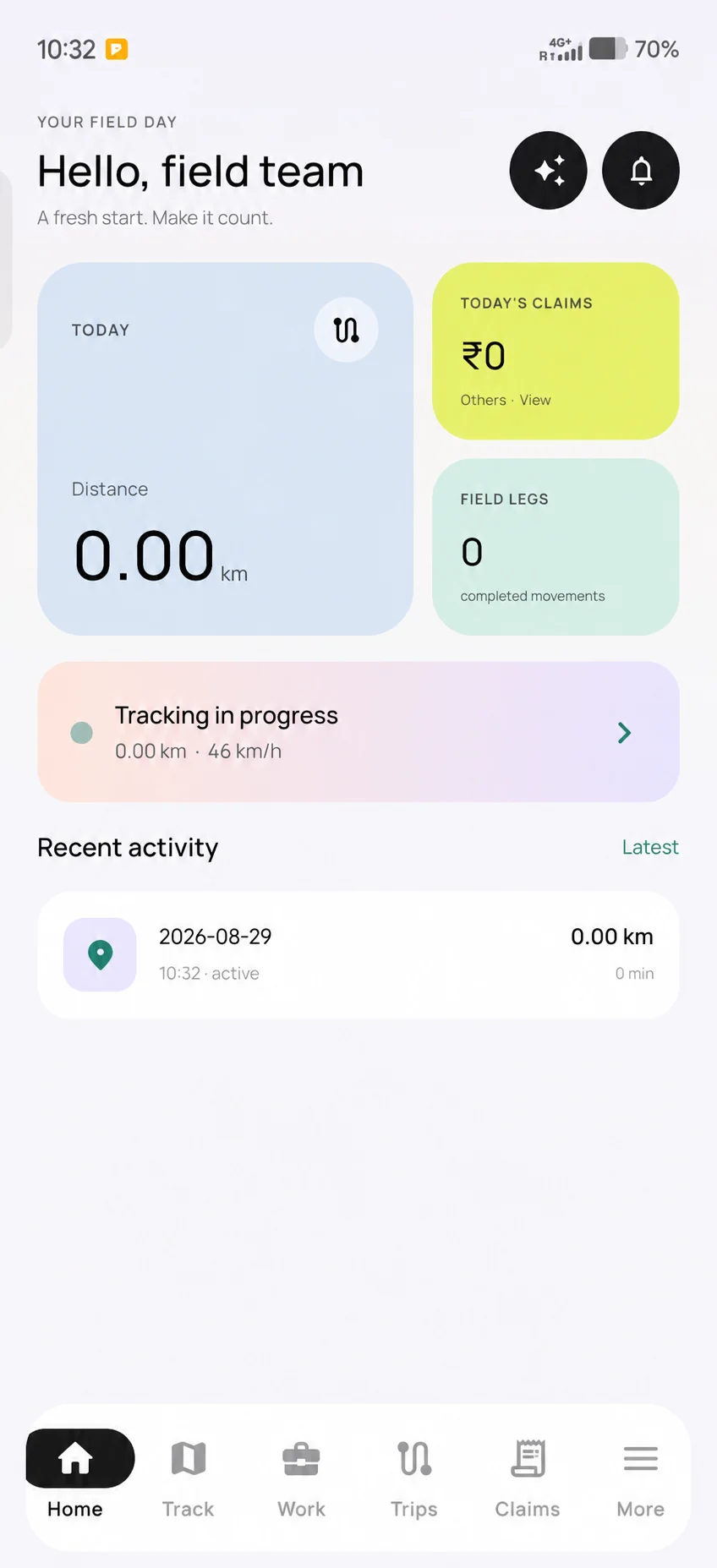
The field-day screen shows whether a work session is running and the distance recorded so far in kilometres. The manager later reviews the route, stops, visits and claims for that session in the portal.
The employee starts the work session; location recording belongs to that session only.
Visits, tasks, attendance and expenses are recorded during the same day.
The manager checks the route, km, visits and exceptions within their team scope.
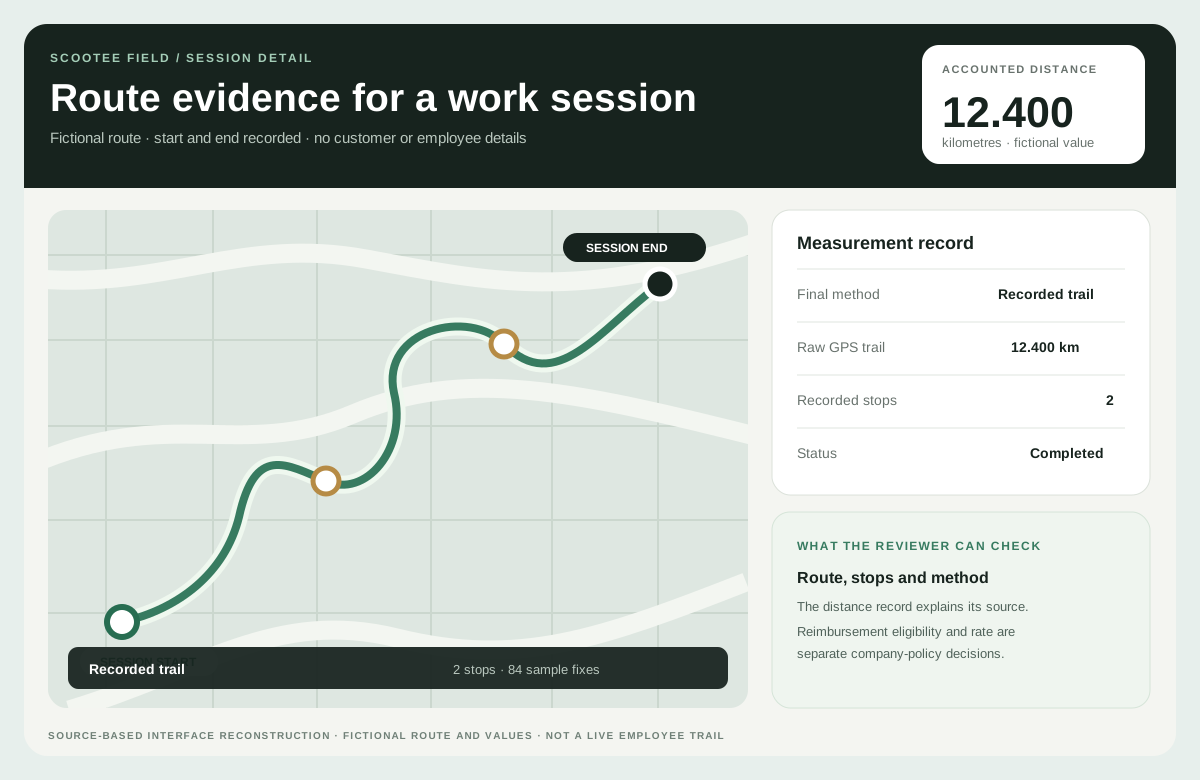
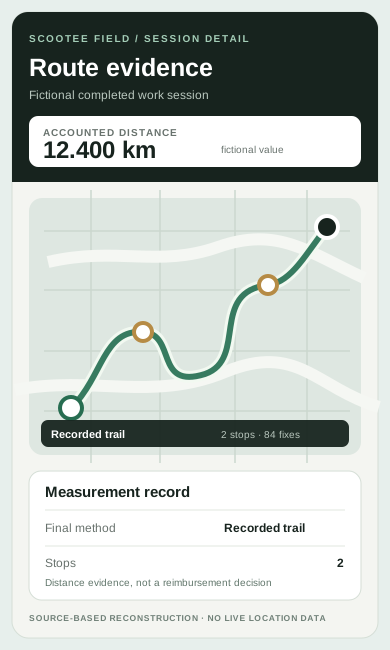
The Android screen is privacy edited and shows distance in kilometres. The route view is a source-based reconstruction with fictional values. Neither shows a real employee or guarantees GPS accuracy.
The operational friction
Each supervisor calls every person to ask where they are and what is done, and the answers still cannot be checked later.
Live locations, selfies and photos of bills are shared in groups, then nobody can find them when attendance or a travel claim is questioned.
Apps that track the phone all day, drain the battery or give no explanation create resistance. People uninstall them or leave the phone at home.
How it works
Follow the employee action, the available supporting records and the review decision. Confirm your configuration in a demo.
Create the organisation, branches, departments and employees, and give each person access to the field app.
The employee taps to start work. The session marks the beginning of on-duty location recording. Nothing is recorded before the start or after the end.
The employee opens assigned customers and tasks, records each visit outcome and next action, and adds fuel, food or other claims with a receipt photo.
Eligible session, location and expense records are kept on the phone when the network drops and sync when the connection returns.
The supervisor opens the portal to see active staff, the recorded route and stops, the distance in km, visits, tasks and pending claims, within their own branch or team scope.
Product capability index
Location is recorded only inside a work session the employee starts and ends, which is easier to explain to staff and unions than all-day tracking.
Review the route trail, stops and the final distance in kilometres, with the calculation method shown instead of an unexplained total.
Record the assigned customer, visit outcome, notes and next action so the visit is useful to the next person, not only a dot on a map.
Use mobile attendance with configured location checks, shifts, rosters, leave and correction requests in the Workforce plan.
Employees submit claims with receipts; conveyance can use the per-km rate set for the employee’s two-wheeler or car.
Area managers see their own staff only. Directors can see across branches. Access depends on permission, not job title.
Pilot success measures
Questions for your evaluation
Questions / answers
The right app depends on your work. Check that it runs on your staff’s Android phones, records location only during duty hours, works offline, shows distance in km, and connects visits, attendance and travel claims. Scootee is built for that combination. Test it with a few employees during the 14-day trial before rolling it out.
No. The field tracking workflow records location inside a work session that the employee starts and ends. Explain the start and stop, the purpose and who can see the data to employees before rollout, and record their acknowledgement.
GPS can work without mobile data. The Scootee app keeps eligible session, location and expense records on the phone and syncs them when the connection returns. Test on the phones and areas your team uses.
The Field plan starts at ₹499 per user per month with a minimum of 5 users and a 14-day trial. The Workforce plan, with attendance, leave and payroll preparation, is ₹899 per user per month. Final pricing, GST and billing terms are confirmed in the commercial proposal.
Companies commonly track field staff during working hours for business purposes. Tell employees clearly what is collected, why, when and who can see it. Limit collection to work, and get legal advice on your obligations under the Digital Personal Data Protection Act, 2023 and your employment terms.
Bring one real workflow
Bring one example of your current process. Check employee capture, office review, exceptions and the handoff your team needs.