
The employee has too many field tools
Visits, tasks, time, routes, and receipts are recorded in separate apps or reconstructed after the day ends.
Mobile workforce management
Give employees one mobile workflow to start and stop work sessions, record visits, tasks, and receipts, and queue eligible records when connectivity drops.
Overview
Mobile workforce management software gives employees a practical way to record work away from a fixed office. In Scootee, an employee explicitly starts a work session, records supported visits, tasks, time, and expenses, and can queue eligible records offline. Managers review the synchronized day later. Mobile-platform parity and device permissions must be confirmed before rollout.
Inside the field app
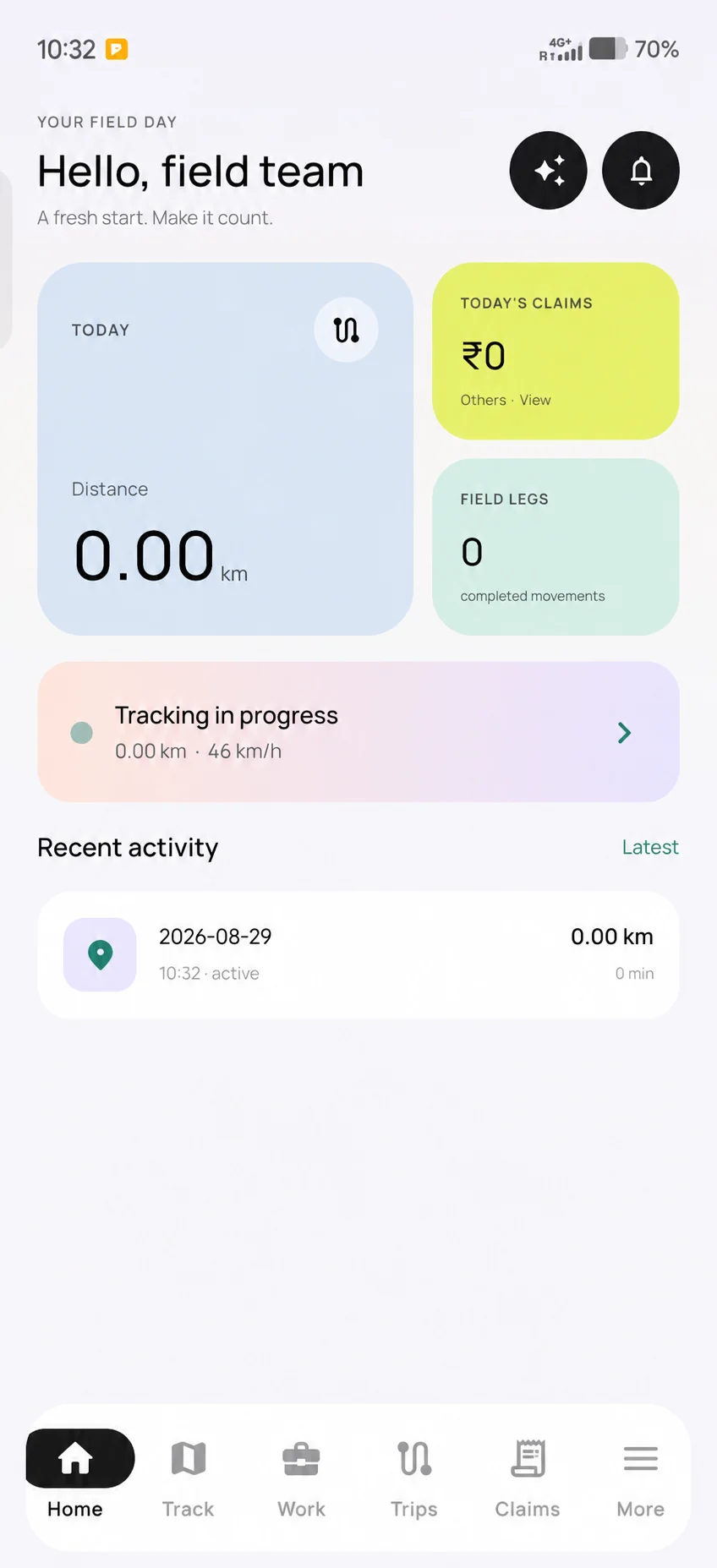
The mobile home view makes the work session and current distance visible. Employees can move to trips, claims and other work areas from the same app; the office reviews records after they synchronize.
The employee explicitly starts the supported work session.
Eligible time, movement, visits, tasks and expenses are recorded in their own workflows.
Supported offline records retry when the device reconnects; test the exact release and device.
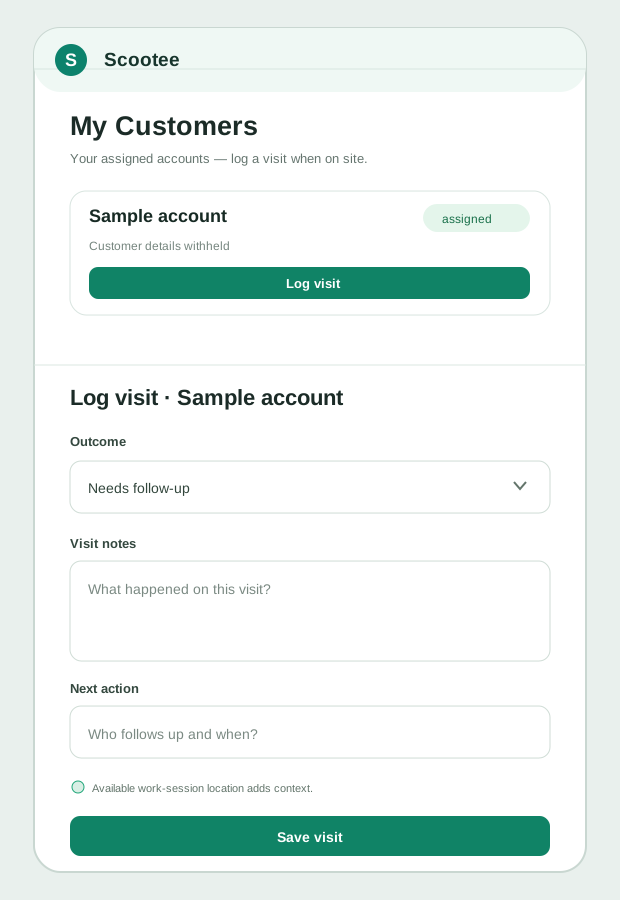
Privacy-edited Android screen from a product walkthrough; sample distance is in kilometres. The visit form is a source-based reconstruction. Android and iOS features can differ by release.
The operational friction
Visits, tasks, time, routes, and receipts are recorded in separate apps or reconstructed after the day ends.
A field app that assumes a constant signal leaves employees retrying work or sending evidence through personal messages.
Employees resist location collection when the start, stop, permissions, and business purpose are not explained before rollout.
How it works
Follow the employee action, the available supporting records and the review decision. Confirm your configuration in a demo.
Set the employee’s organization access and test sign-in, location, camera, background, and notification permissions on the devices being deployed.
The employee explicitly starts the session that creates the work-time and eligible location record.
The employee opens assigned customers and tasks, records visit activity, and adds supported expenses or attendance actions.
Eligible session, location, and expense records can wait locally during a connectivity gap and synchronize after the device reconnects.
The employee ends the session, and authorized office users review the synchronized time, route, visits, tasks, and claims.
Product capability index
Create a named start and end boundary for supported time and location capture rather than implying continuous personal-device monitoring.
Queue eligible session, point, and expense records locally and retry synchronization when connectivity returns.
Give employees the customer records and daily work available within their organization scope.
Record a customer visit outcome, notes, next action, and available location context from the field workflow.
Create supported expense records and attach receipts; the Android workflow can save the claim locally before upload.
Use supported mobile attendance, leave, trip, help-desk, form, and request workflows according to the deployed platform and plan.
Pilot success measures
Questions for your evaluation
Questions / answers
It is software employees use to record work away from a fixed office and managers use to review the resulting records. Scootee centers the mobile workflow on explicit work sessions, assigned customers and tasks, visits, expenses, attendance, and supported offline queues.
Field service management often centers on dispatch, work orders, technician scheduling, and equipment service. Scootee focuses on the employee workday and the records shared by field operations, HR, and accounts. Buyers needing specialized dispatch or inventory should evaluate those requirements separately.
Scootee’s field tracking workflow is designed around an explicit session the employee starts and ends. A rollout still needs documented employee notice, permission settings, retention, and applicable privacy review before location capture is enabled.
Scootee supports workforce, expense, approval, and payroll-preparation workflows, but US tax filing, banking, and payment execution should not be assumed. Confirm the required exports and integrations during a product walkthrough.
Bring one real workflow
Bring one example of your current process. Check employee capture, office review, exceptions and the handoff your team needs.