
Field expense capture
How do field expenses move from employee capture to office review?
An employee creates a structured claim with an organization category, amount, date, notes and receipt photo. An authorized reviewer inspects the claim and supported work or travel context before approving it or returning it with a reason.
Short answer
How does a field expense claim app work?
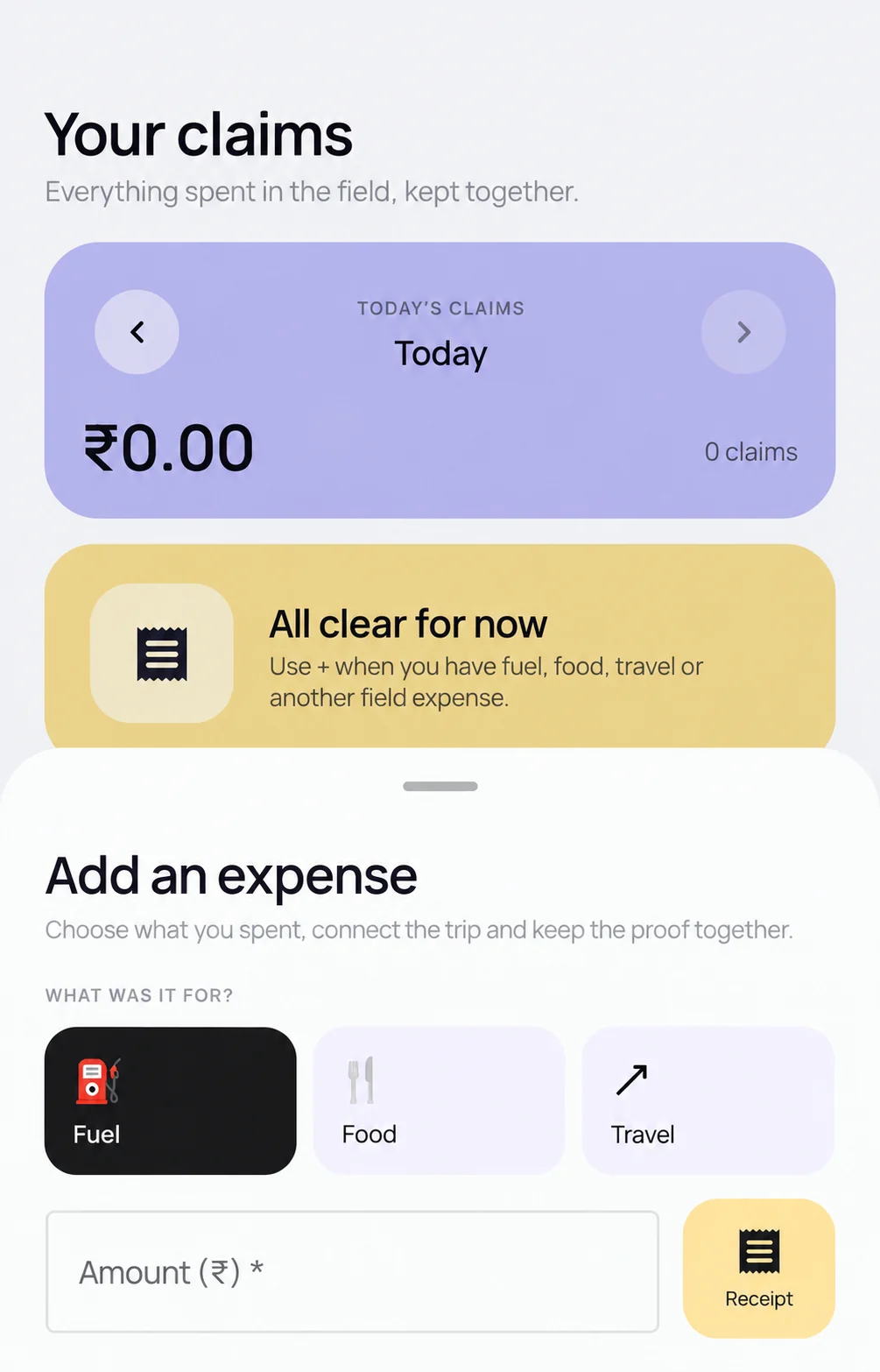
Field staff add a claim on their phone with a category, amount, date, note and receipt photo, and the claim waits on the phone when there is no signal. An authorized reviewer opens the claim with its receipt and travel context in the web portal, then approves it or returns it with a reason. Payment is a separate step.
Platform depth
What happens between capturing a receipt and reviewing a claim?
What does the employee submit?
The mobile workflow collects the employee, organization category, amount, date, notes and receipt or supporting evidence required for the claim.
How are categories controlled?
Each organization has its own expense categories. A category can require a receipt and carry per-claim, daily and monthly limits. Demonstrate how those rules behave for your configuration.
What can the reviewer inspect?
An authorized reviewer opens the claim and its receipt with direct session or trip context where that relationship exists. Customer visits remain separate records to review alongside the field day rather than an automatic claim-to-visit link.
What decisions remain separate?
Approve or return is a review decision. Payment, bank transfer, tax treatment, payroll treatment and ledger posting remain separate processes unless explicitly included in an implementation.
How are business-trip advances reviewed?
The trip workflow separates the employee request, manager review, accounts review, recorded disbursement and post-trip bills. Recording a disbursement does not send a bank payment.
Step by step
How does an expense claim move from phone to approval, step by step?
Set categories and rules
Accounts sets the organization’s categories, whether each one needs a receipt, and limits per claim, per day or per month.
The employee captures the claim
The employee picks a category, enters the amount, date and notes and photographs the bill. In the web and Android workflows, a claim in a receipt-required category cannot be submitted without one.
Save offline, sync later
Eligible claims wait on the phone in low-network areas and upload when the connection returns. A failed receipt upload is not shown as a successful submission.
The reviewer checks the evidence
The reviewer opens the receipt with the session or trip context and compares it with the day’s visits and kilometres.
Approve or return with a reason
The reviewer approves the claim or returns it with a reason. Approved records then move to the organization’s own payment and finance process.
Which daily expenses do Indian field teams usually claim?
Typical claims include fuel, local travel, food, tolls, parking, courier and small purchases for a customer site. Organizations name their own categories, so use the list your policy already uses.
Kilometre-based conveyance is calculated from work sessions at the employee’s per-km rate, separately from bills such as food or tolls. Keeping the two apart lets a reviewer check that fuel is not also claimed on top of a per-km allowance.
How do business-trip advances work in Scootee?
The employee requests an advance for a trip. The reporting manager reviews it first, then accounts reviews and approves an amount. Accounts records a full or partial disbursement, the employee submits bills against the advance after the trip, and the trip is closed. Manager and accounts decisions, amounts and reasons are kept separately, and either reviewer can send the request back for changes or reject it.
Can Scootee read receipts automatically?
Where receipt reading is enabled, the phone recognises the text on the receipt photo and Scootee suggests claim fields for the employee to check. Only the recognised text is sent to the configured AI service, not the receipt image. The employee and the reviewer still confirm the amount, date and category. Receipt reading sits in the Enterprise AI scope, so confirm availability for your plan.
What should finance check in an expense demo?
- Test a required-receipt claim and confirm a failed upload cannot appear as a successful submission.
- Verify which categories, fields and limits are active for each employee group in the deployed organization.
- Demonstrate the exact approve and return path, including the reviewer, time and supplied reason retained by the workflow.
- Test a business-trip advance from employee request through manager review, accounts review, recorded disbursement and post-trip bills.
- Confirm which claim records can be created during temporary connectivity loss on each mobile platform and how they reconcile after sync.
- Ask to see the exact report or file your accounts team will receive for approved claims and conveyance.
Where does a connected claim reduce review work?
- Replace receipt photos in WhatsApp groups with a structured claim and a visible submission state.
- Let the reviewer move from an amount to its receipt and available field context without reconstructing the day manually.
- Prepare approved records for the customer’s finance handoff while keeping approval distinct from settlement.
Continue the evaluation
Where should you evaluate policy, approval and reporting?
FAQ
Field expense capture questions
A supported claim contains employee and organization identity, category, amount, date, notes, receipt evidence and available work or travel context. Required fields depend on the deployed category and workflow.
Do not assume that. Receipt-required categories are enforced at submission in the web and Android workflows, and category limit and approval-policy data exists, but the active mobile-to-portal behavior must be demonstrated for the policy path you need.
No. Approval records an authorized decision. Payment, banking, settlement and finance reconciliation require a separate agreed process.
No. It records the accounts-stage event. Any bank transfer, card funding, cash handling or settlement remains a separate customer-controlled process.
Conveyance has an Excel export with distance in km, rate in INR per km and amount in INR. Report and export formats differ by record type, so confirm in the demo the exact expense report your accounts team needs.
Contact Us
Start building with Scootee
Tell us how your field team works. We will show you recorded distance and its calculation method, customer visits, and expense review in Scootee.
Contact Us